MaceSuite

The AIS classroom where students practice, submit, and get reviewed

MaceSuite turns accounting information systems into guided student work: master data setup, journal vouchers, AR/AP cycles, OBE rubrics, approval states, audit evidence, and report generation.

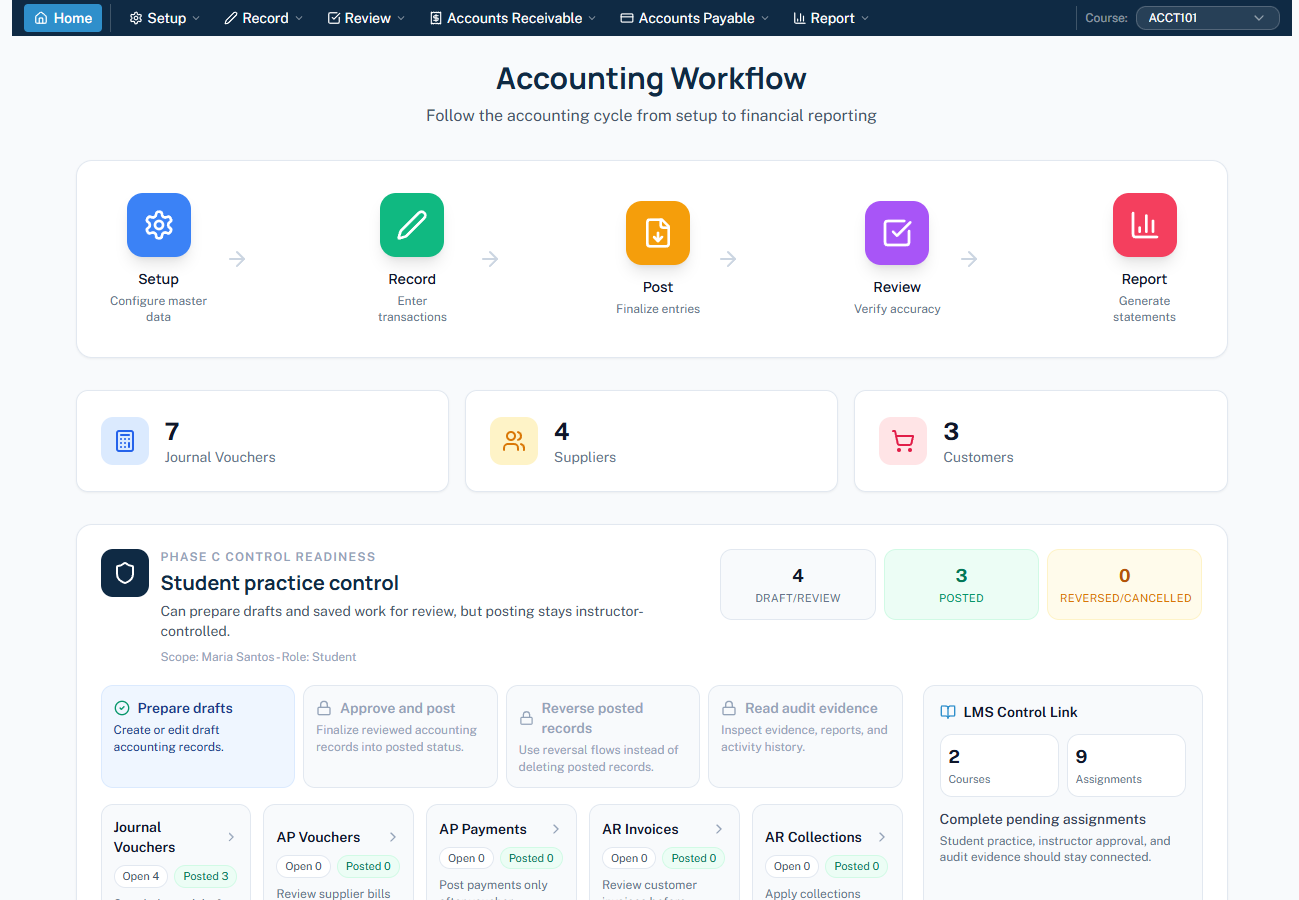
MaceSuite student accounting workflow screen

Actual MaceSuite student workspace: course selector, workflow stages, control readiness, and module cards.

AIS modules with classroom purpose

Each module gives faculty a teachable workflow and gives students a concrete output they can submit, explain, and improve.

AIS FoundationIntroduce roles, workflows, controls, and the MaceSuite environment before students process transactions.
Master DataSet up chart of accounts, supplier records, customer records, and process documentation evidence.
Revenue CycleWork through customer master data, AR invoices, collections, summaries, and aging reports.
Expenditure CyclePractice supplier master data, AP vouchers, payments, AP summaries, aging, and withholding evidence.
Accounting CyclePrepare opening balances, journal vouchers, GL entries, trial balance, income statement, and balance sheet.
Audit and ControlsReview status changes, approvals, evidence, role permissions, and activity history.

Live product tour from the real app

These screens come from the MaceSuite project, so buyers see the product logic before they ask for a demo.

MaceSuite student accounting workflow screen
Workflow-led AIS learningStudents do not just click modules; they follow the accounting cycle from setup to reports.
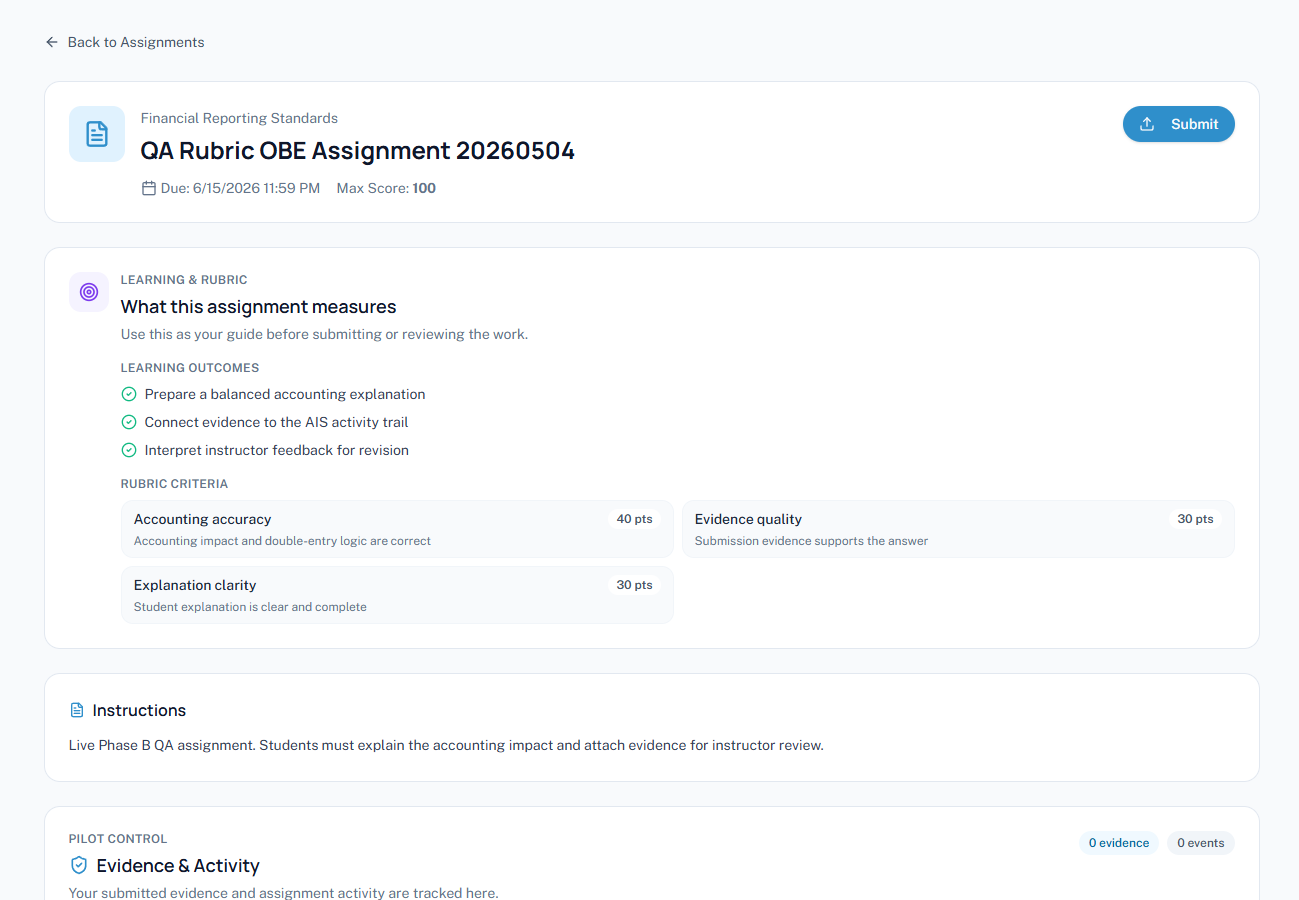
MaceSuite student OBE rubric assignment screen
Learning outcomes stay visibleRubrics connect accounting accuracy, evidence quality, and explanation clarity to student submissions.
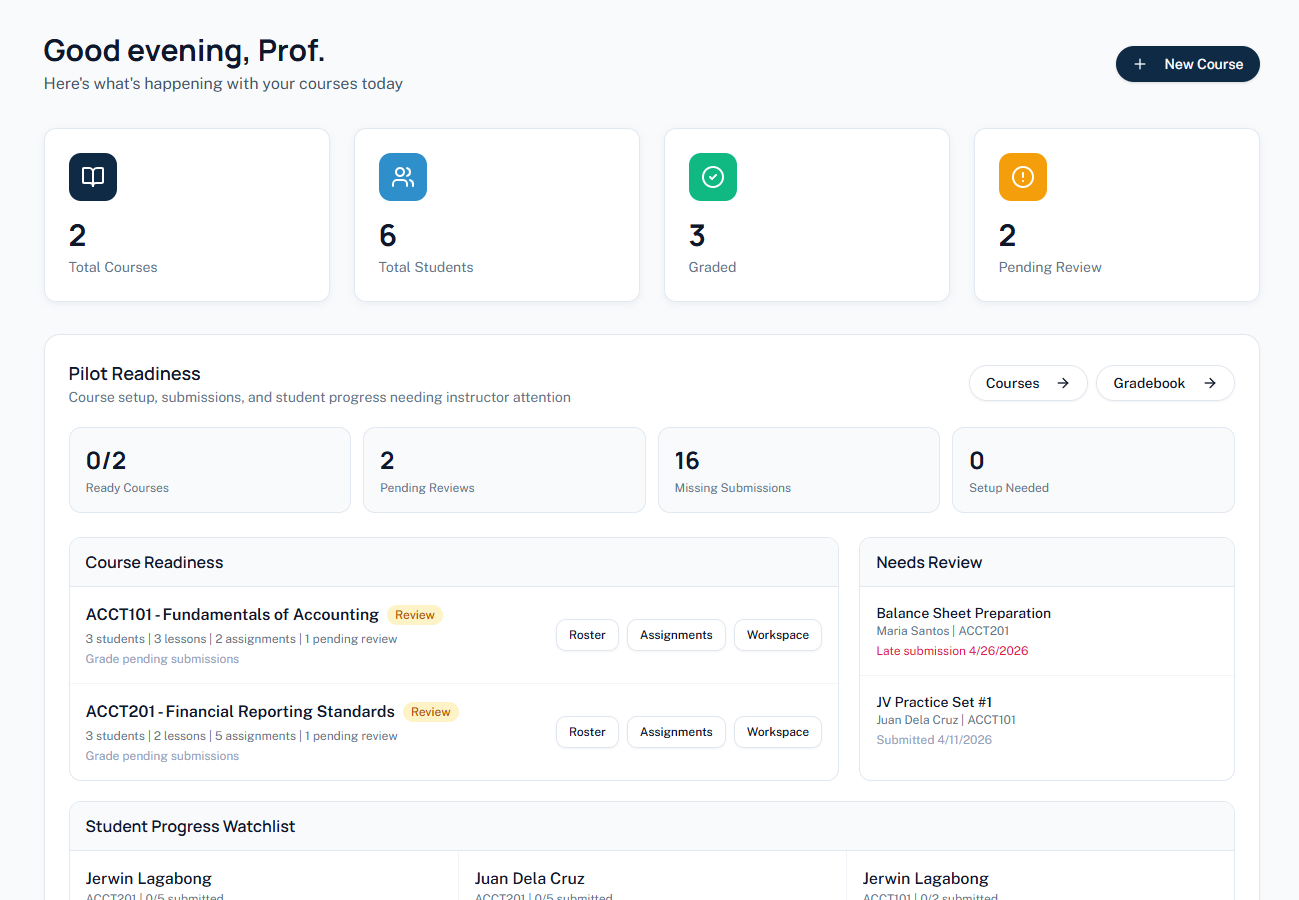
MaceSuite instructor readiness dashboard screen
Faculty review without guessworkReadiness dashboards expose pending reviews, missing submissions, and students who need attention.
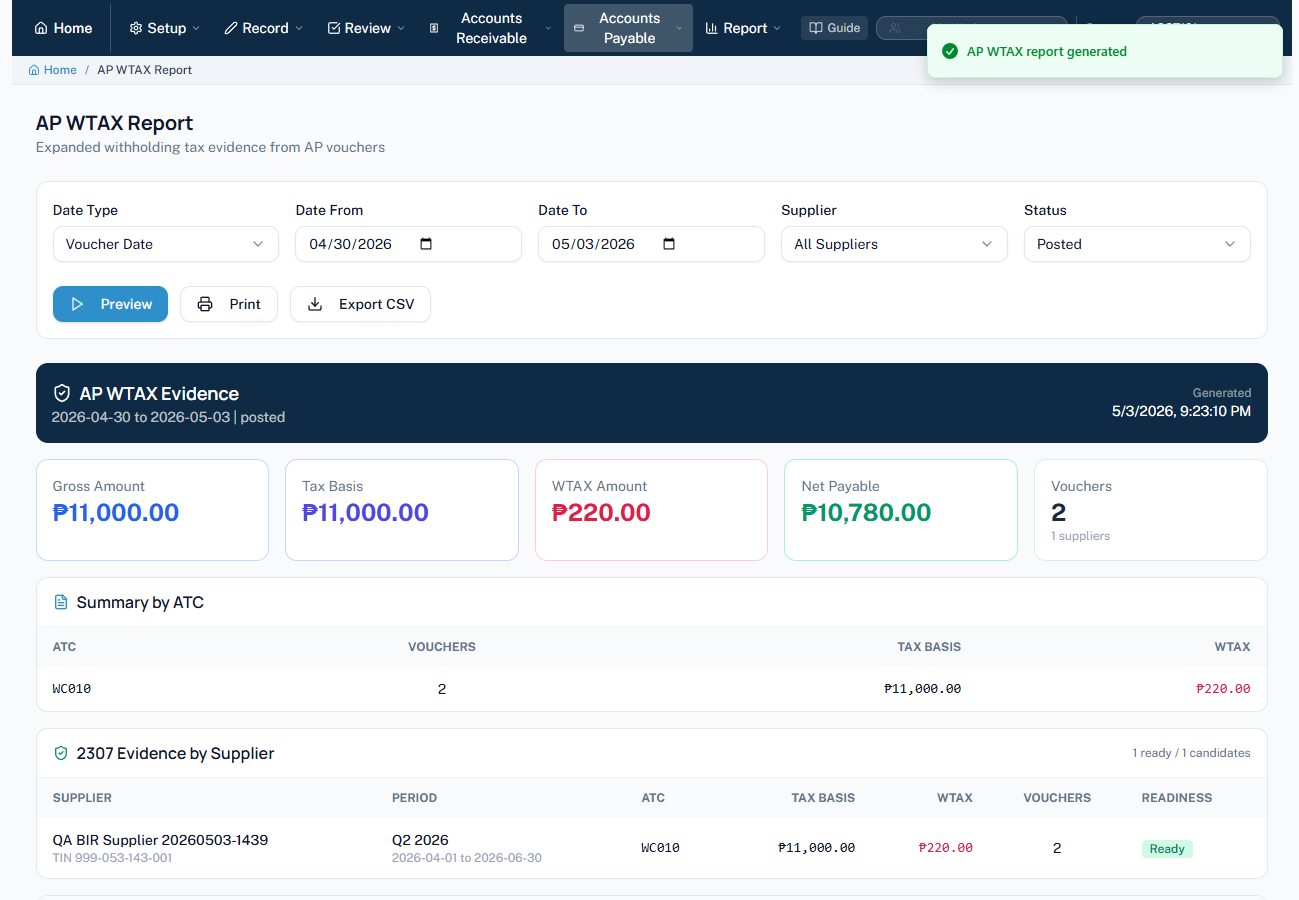
MaceSuite AP WTAX report screen
Reports with compliance-style evidenceAP WTAX screens let students practice summaries, tax basis, net payable, and BIR 2307 readiness.

Built for faculty supervision, not uncontrolled software access

MaceSuite keeps student practice visible to instructors, connected to outcomes, and bounded by role-based permissions.

OBE rubric layer

Assignments can show learning outcomes, scoring criteria, evidence expectations, feedback, and next learning focus.

Instructor readiness view

Faculty can spot pending reviews, missing submissions, course readiness gaps, and students who need follow-up.

Role-based controls

Student, instructor, auditor, and admin roles keep practice realistic while protecting review, posting, and audit boundaries.

Academic scenarios

Revenue cycle, expenditure cycle, accounting cycle, control review, and reporting tasks can be mapped to course outcomes.

Make MaceSuite your practical AIS laboratory.

Tell us your courses, class size, and target term. We will help you scope the modules, training, and deployment plan.

Request a Proposal